
Your first few minutes in a new Roblox game can decide whether it feels exciting or overwhelming. You land in front of unfamiliar menus, new moves, and players who already seem to know exactly what they are doing. This Fruit Battlegrounds beginner guide gives you a clear plan for those first moments, so you can stop guessing and start playing with confidence.
Here is what you will learn: how to read your screen, practice your controls, choose a fruit, and avoid common beginner mistakes. We also show you how to claim free rewards with Fruit Battlegrounds codes before your first match. This free head start is always worth a minute of your time.
What You See When You First Join
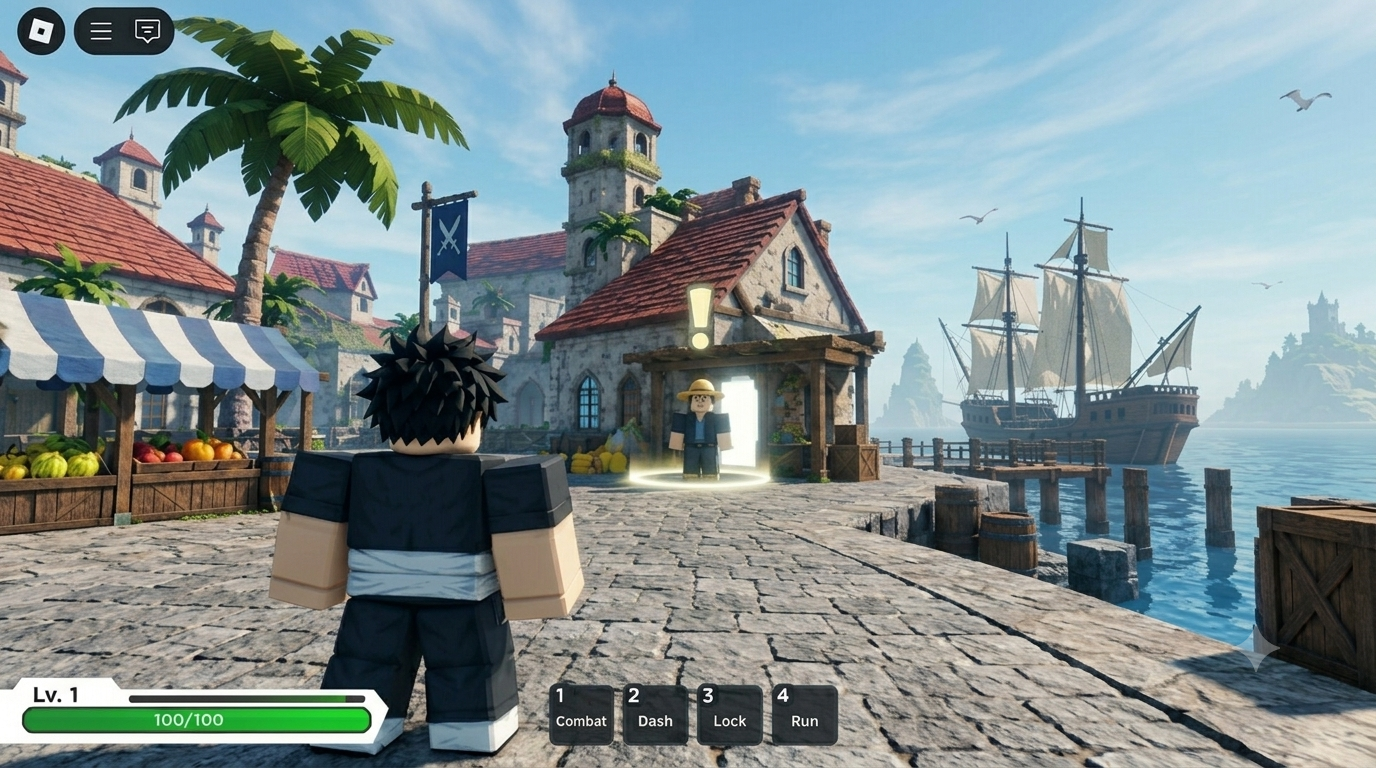
When you first join Fruit Battlegrounds, do not rush to move or fight. Stand still for a minute and look at the whole screen. Most Roblox combat games place the key information in the same few areas, so learning them early saves you from confusion later. The first area you see may look different depending on updates, so use the first few seconds to get your bearings.
Start with your health bar and your move buttons. The health bar shows how much damage you can take, so check it often during a fight. Your move buttons are the abilities linked to your fruits, and it helps to know the name of each move and see if it has a recharge timer. On PC and mobile, these usually sit around the edges of your screen, so look there first.
Then open the main menu and look through each tab. This is where you will find settings, your inventory, and the place to redeem Fruit Battlegrounds codes.
Step 1: Look Around Before You Fight
Do not rush into the first battle. Spend a few minutes getting comfortable with the screen before another player gets the chance to test you. Open the menu, check your stats, and see which moves you have from the start. Walk, jump, and run, so you can feel how quickly it responds. If you can find your health, your moves, and the main menu, you have the three basics covered.
This short pause pays off later. When a fight begins, you will already know where everything is, and you can focus on your opponent instead of searching the screen. Players who skip this step often waste their first few seconds in a fight looking for buttons, and that is usually when they lose.
Step 2: Learn the Controls
Controls decide how well you fight. A strong fruit is not much use if you cannot trigger its moves on time. Try each move once in a quiet spot, and watch how it behaves.
- PC: Use W, A, S, D for movement. Use the on-screen ability prompts or assigned keyboard controls for your fruit moves, and use the available menu buttons to open settings, inventory, and other game options.
- Mobile: Use the on-screen joystick to move your character. Tap the ability/move buttons on the screen to use your fruit skills, and use the visible menu buttons to access settings, inventory, and other options.
Pay attention to how long each move takes to recharge. Good timing often beats raw power, especially for new players.
Step 3: Claim Free Rewards With Codes
Free rewards from Fruit Battlegrounds codes are the easiest head start in any Roblox game. Before you play seriously, check our Fruit Battlegrounds codes page for the latest codes. Active and expired codes are listed separately, so you can skip the old ones.
Rewards depend on the codes in Fruit Battlegrounds. They may include spins, cash, boosts, or other items, based on what you see in the game.
How to Redeem Codes of Fruit Battlegrounds:
- Launch the Fruit Battlegrounds game on Roblox.
- From the main menu, click “Spin Fruit.”
- Click the treasure chest in the middle of the room.
- Copy the code from our list and paste it in.
- Press Redeem and check your reward.
Copy and paste is safer than typing, because it avoids spelling mistakes and extra spaces. Many players also search for a working code for Fruit Battlegrounds fans can use right away, and our list is built for exactly that. You can find the full walkthrough in our redemption guide.
Step 4: Choose a Fruit and Understand Its Moves
Your fruit shapes how you fight. Read what each move does, and practice a simple order that feels natural. You can get your first fruit through the Spin Fruit system by using Gems to spin for a random fruit. Fruits also have different rarity levels, so some are harder to obtain than others.
If you are a beginner, do not worry about getting the rarest fruit immediately. Focus on learning the moves and abilities of the fruit you get first, because understanding how to use it can be more important than its rarity.
Step 5: Practice Your Basic Combos
A combo is simply a few moves used in a good order. You do not need anything fancy at first. Start with two or three moves that work well together, and repeat them until your fingers know the rhythm.
Watch how stronger players move, too. Notice when they attack, when they step back, and when they wait. Small habits like these teach you a lot.
Step 6: Build Your Progress Slowly
Progress makes you stronger over time. Short, steady sessions work better than one very long session, because you stay focused and make fewer mistakes.
Keep a small goal for each session. For example, learn one new move, win one fight, or redeem one new code. Small wins add up quickly.
Step 7: Play Smart in Your First Fights
Early fights are about learning, not winning every time. Keep these ideas in mind:
- Stay aware of your health during a fight.
- Do not use every move at once.
- Retreat when you are losing, then return with a plan.
- Avoid fighting in the middle of a crowd.
- Review what went wrong after a defeat.
Every loss shows you something. Treat it as practice.
Common Beginner Mistakes
Many new players repeat the same few errors. Avoid these, and you will already be ahead:
- Skipping the controls and learning them mid-fight
- Ignoring free rewards from an active code
- Typing a code wrongly or adding extra spaces
- Trying an expired code instead of checking the active list
- Changing fruits too often
- Rushing into fights without a plan
Why a Code May Not Work
A code that fails is not always expired. Check these causes first:
- Typing mistake: one wrong letter is enough to break it.
- Capital letters: enter the code exactly as shown.
- Extra space: remove any space before or after it.
- Expired code: the developers may have ended it.
- Already used: most codes work once per account.
If nothing helps, restart Roblox and rejoin. Still stuck? Visit our FAQ page or contact us with the code and a short note.
How to Stay Updated
Developers can add or remove codes at any time, and game updates can change how things work. That is why we update our Fruit Battlegrounds codes list regularly and after major game updates. You can read how we collect and check codes in our Editorial Policy.
Bookmark our page, and check it each time you start a new session. A quick look can save you from trying dead codes.
Your First-Hour Checklist
Use this simple list the next time you start playing:
- Explore the menu and your stats.
- Test each move once.
- Redeem any active codes.
- Pick one fruit and learn it well.
- Practice a short combo.
- Play a few relaxed matches.
- Note what you want to improve next time.
Final Thoughts
Starting Fruit Battlegrounds can feel a little overwhelming at first, but you do not need to learn everything in one day. Take some time to understand the controls, try different fruits, and get comfortable with the basic combat mechanics. Small improvements will make a big difference as you continue playing.
Keep an eye out for new Fruit Battlegrounds codes and redeem active rewards when they become available. Free rewards can give you a useful boost while you practice, experiment with different abilities, and work toward stronger progress.
Most importantly, enjoy the journey and play at your own pace. Whether you are learning your first moves or preparing for tougher battles, consistent practice and smart use of available rewards can help you become a better player.